IndexPro WordPress Plugin Setup Guide
Submit URLs for indexing directly from your WordPress dashboard. Complete setup guide with screenshots and troubleshooting tips.
Your SEO Tip of the Day
What You'll Need
WordPress Site
Version 5.0 or higher
IndexPro Account
Free or paid account
API Key
From your dashboard
Step-by-Step Installation Guide
Install the Plugin
Get started by installing the IndexPro plugin from WordPress repository or manually
WordPress Repository (Recommended)
- •Log in to your WordPress admin dashboard
- •Navigate to Plugins → Add New
- •Search for 'IndexPro URL Indexing Manager'
- •Click 'Install Now' and then 'Activate'
Manual Installation
- •Download the plugin from WordPress.org
- •Go to Plugins → Add New → Upload Plugin
- •Choose the downloaded ZIP file and click 'Install Now'
- •Click 'Activate Plugin'
Get Your API Key
Connect your IndexPro account to the WordPress plugin
- •Log in to your IndexPro account at indexpro.app
- •Navigate to your dashboard and click on 'API Keys' or 'Settings'
- •Generate a new API key or copy your existing key
- •Keep your API key secure and never share it publicly
Configure the Plugin
Set up your preferences and connect to IndexPro
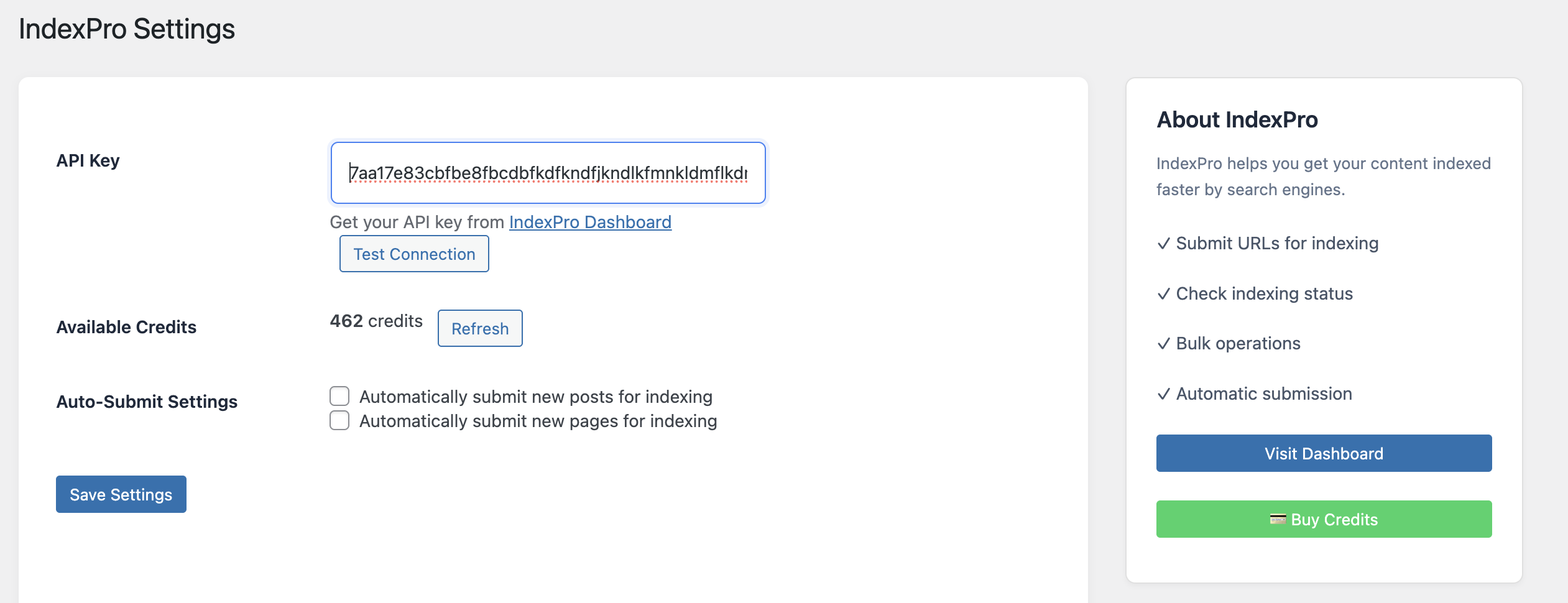
- •In WordPress dashboard, go to IndexPro → Settings
- •Paste your API key in the designated field
- •Click 'Test Connection' to verify your API key
- •Configure optional auto-submit settings for new posts/pages
- •Click 'Save Settings' to apply changes
Keep your API key secure and never share it publicly. You can regenerate it anytime from your IndexPro dashboard if needed.
Start Submitting URLs
Multiple ways to submit your content for indexing
Bulk Actions
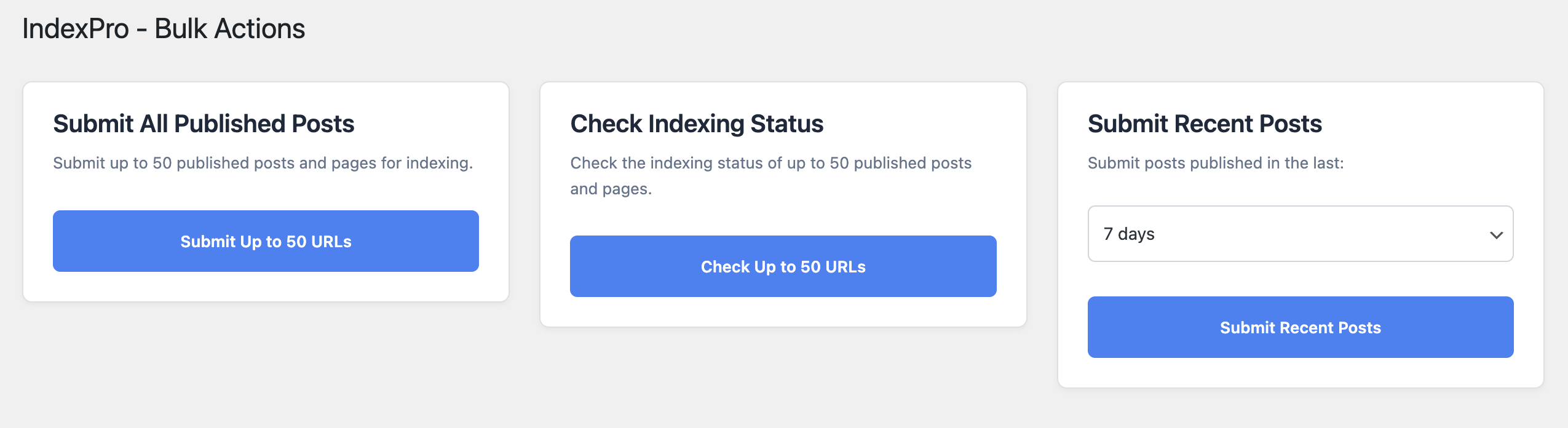
- •Navigate to the 'IndexPro - Bulk Actions' page
- •Choose from: Submit All Published Posts, Check Indexing Status, or Submit Recent Posts
- •Select your preferred time range for recent posts (7, 14, or 30 days)
- •Click the corresponding button to perform the action
Individual Post Actions
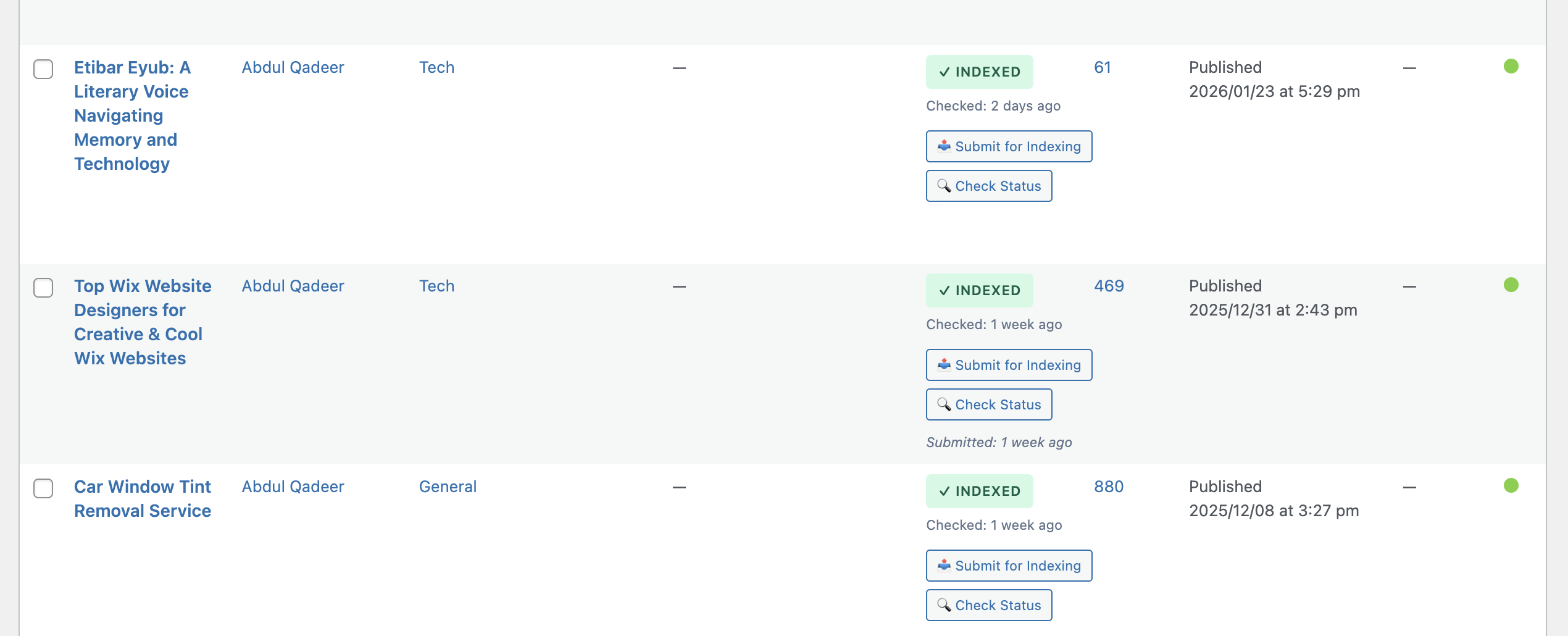
- •Go to Posts or Pages list in WordPress
- •Find the post you want to submit
- •Click 'Submit for Indexing' or 'Check Status' buttons in the IndexPro column
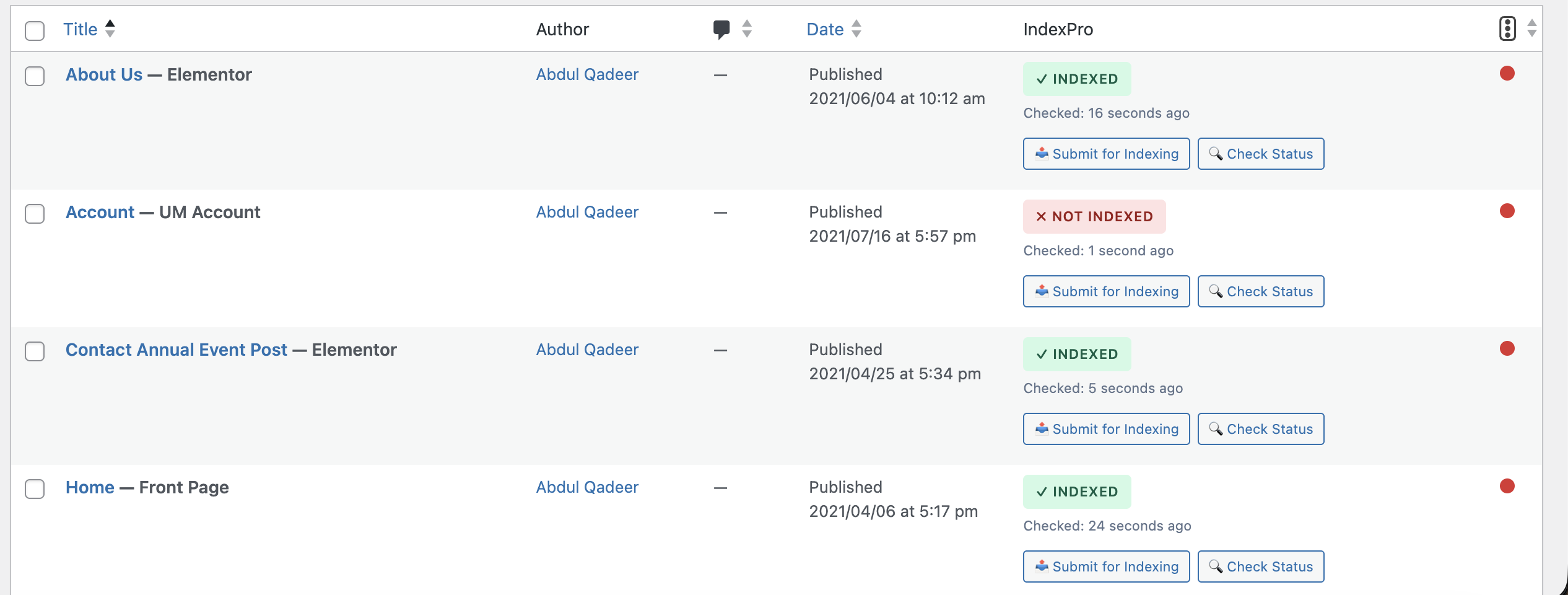
- •View real-time indexing status updates
Key Features
Automatic Submission
Auto-submit new posts and pages for indexing as soon as they're published
Bulk Operations
Submit multiple URLs at once with just a few clicks
Dripfeed Control
Spread submissions over multiple days to appear natural
Status Tracking
Monitor indexing progress in real-time directly from WordPress
Credit Management
View remaining credits in your WordPress dashboard
History & Reports
Access detailed indexing history and analytics
Plugin Interface Screenshots
Settings Page
Configure API key, view credits, and set auto-submit preferences
Bulk Actions
Submit multiple posts or check indexing status in bulk
Posts List Integration
View indexing status and submit posts directly from the posts list
Real-time Index Status
Monitor which posts are indexed and when they were last checked
Troubleshooting Common Issues
API Key Not Working
- •Verify your API key is correctly copied without extra spaces
- •Ensure your IndexPro account is active
- •Try regenerating a new API key from your dashboard
URLs Not Submitting
- •Check if you have sufficient credits in your account
- •Ensure URLs are properly formatted (include http:// or https://)
- •Verify your WordPress site can make external API calls
Plugin Conflicts
- •Temporarily disable other plugins to identify conflicts
- •Switch to a default WordPress theme to test
- •Clear your WordPress cache and try again
Frequently Asked Questions
Need Help?
Our support team is here to assist you with any questions or issues you may encounter while setting up or using the IndexPro WordPress plugin.
Ready to Get Started?
Download the IndexPro WordPress plugin today and start getting your content indexed faster by Google!